Trip.com eSIM Set Up Guide

How to set up Trip.com eSIM
This guide explains how to set up a Trip.com eSIM step by step. Trip.com eSIM setup is quick and simple (no app download required), making it one of the easiest ways to get connected while traveling.
Choose and purchase the plan

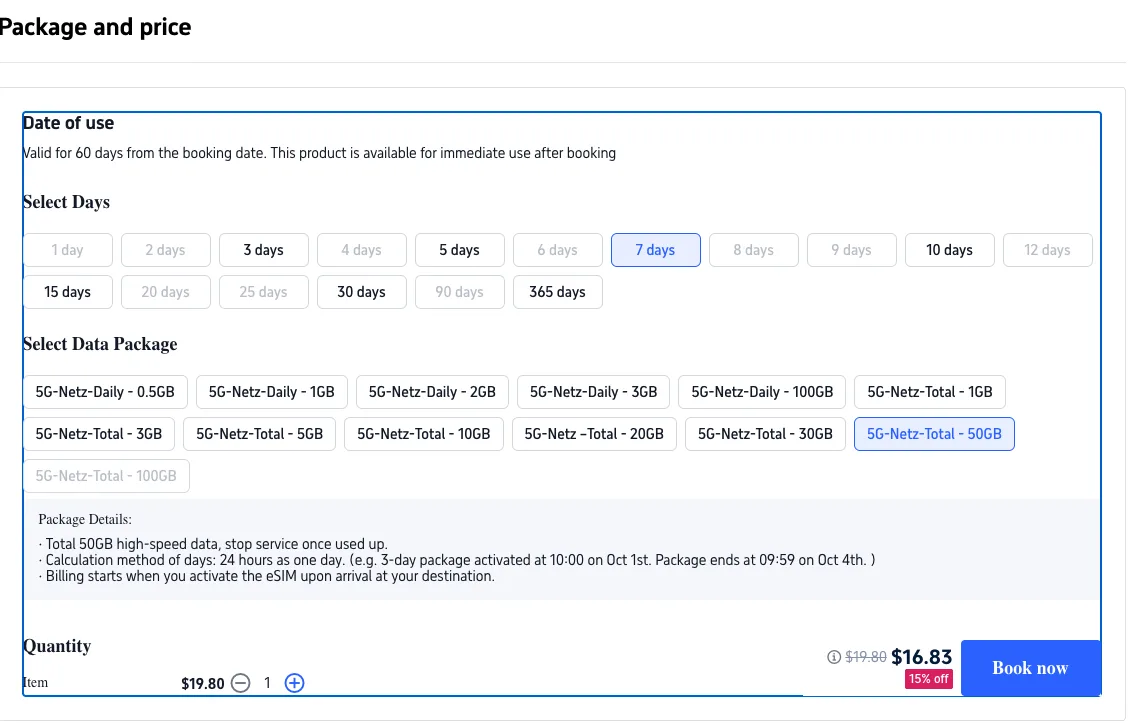
You can find the Trip.com eSIM plans here. Once you choose the plan that suits you best, any available discount code will be automatically applied, as shown above. After reviewing the details, complete your payment and that’s it! You’ve successfully purchased your eSIM.
Install eSIM

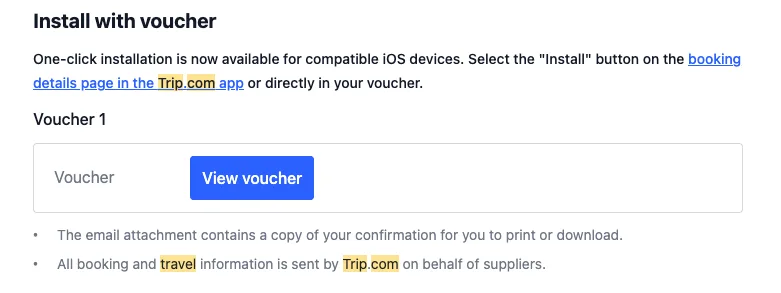
After purchasing your eSIM, you’ll receive a confirmation email from Trip.com with detailed instructions on how to install and activate your eSIM for both iOS and Android. The easiest option is to click “Install with your voucher,” which takes you to your QR code along with a step-by-step activation guide. Simply open your phone’s settings, add an eSIM, and scan the QR code to get started.
Tip: You don’t need to download the Trip.com app to install the eSIM. However, please make sure your eSIM is installed before arriving in China to ensure a smooth connection upon arrival.
Activate eSIM in your phone setting

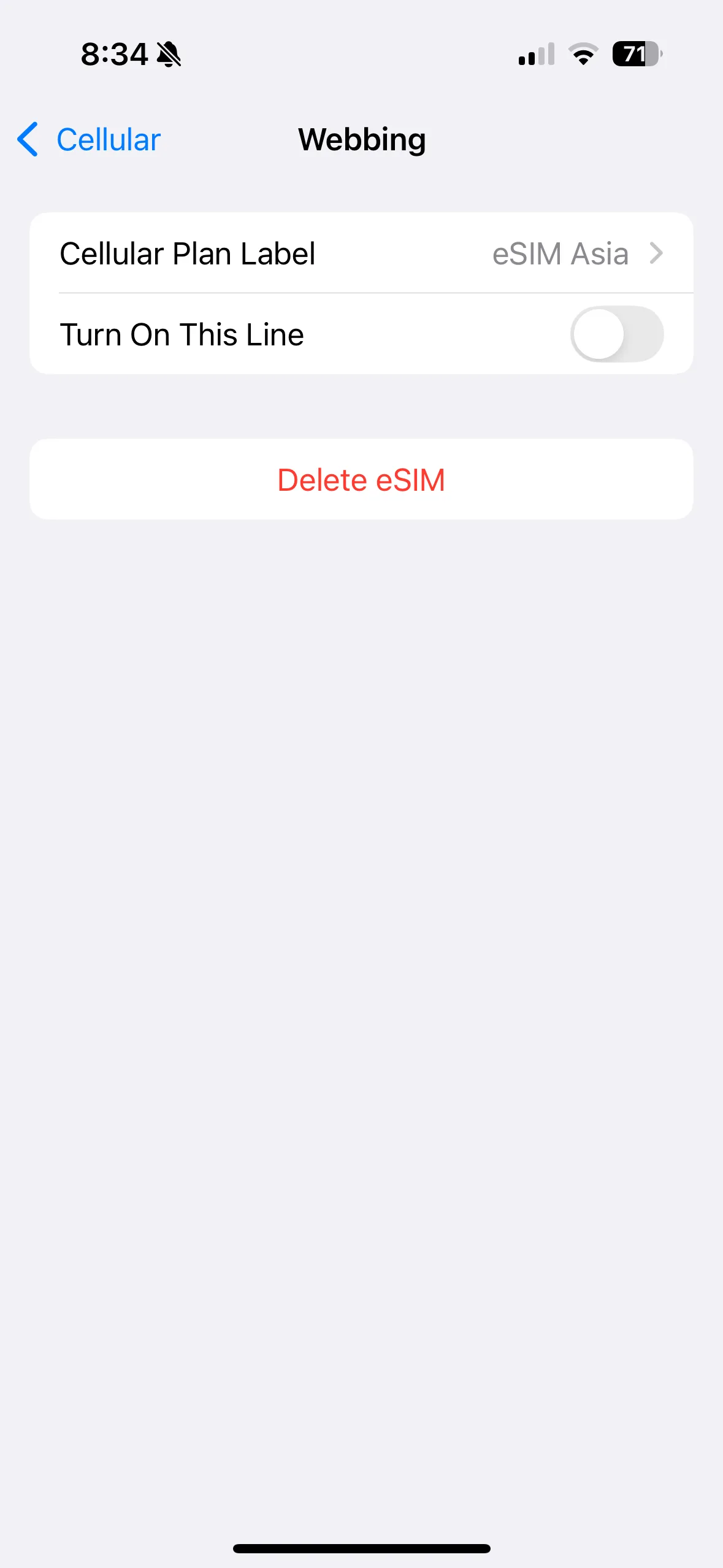
Once the eSIM is installed, you can find it in your phone’s cellular settings. To activate it, turn on the Trip.com eSIM line (in the screenshot it’s off, make sure to switch it on) and disable your primary SIM and any other eSIMs, leaving only the Trip.com eSIM enabled. Then, set your cellular data to use the Trip.com eSIM and turn off Allow Cellular Data Switching. That’s it, you’re all set! When you arrive in China, your eSIM will automatically connect to the local network.
Tip: Activate your eSIM shortly before traveling to China. Based on our experience, we recommend doing this at the airport before departure. If the network doesn’t connect right away after you arrive in China, try toggling Airplane Mode or restarting your phone to refresh the connection.
Once you arrive in China, your eSIM will automatically connect to the local network, as shown below. Enjoy seamless data connectivity throughout your trip and have an amazing time in China!
