Saily eSIM Set Up Guide

How to set up your Saily eSIM and get your discount
This guide will help you set up your Saily eSIM step by step including a video tutorial (plus, don’t forget to use your discount!)
Pick the right plan

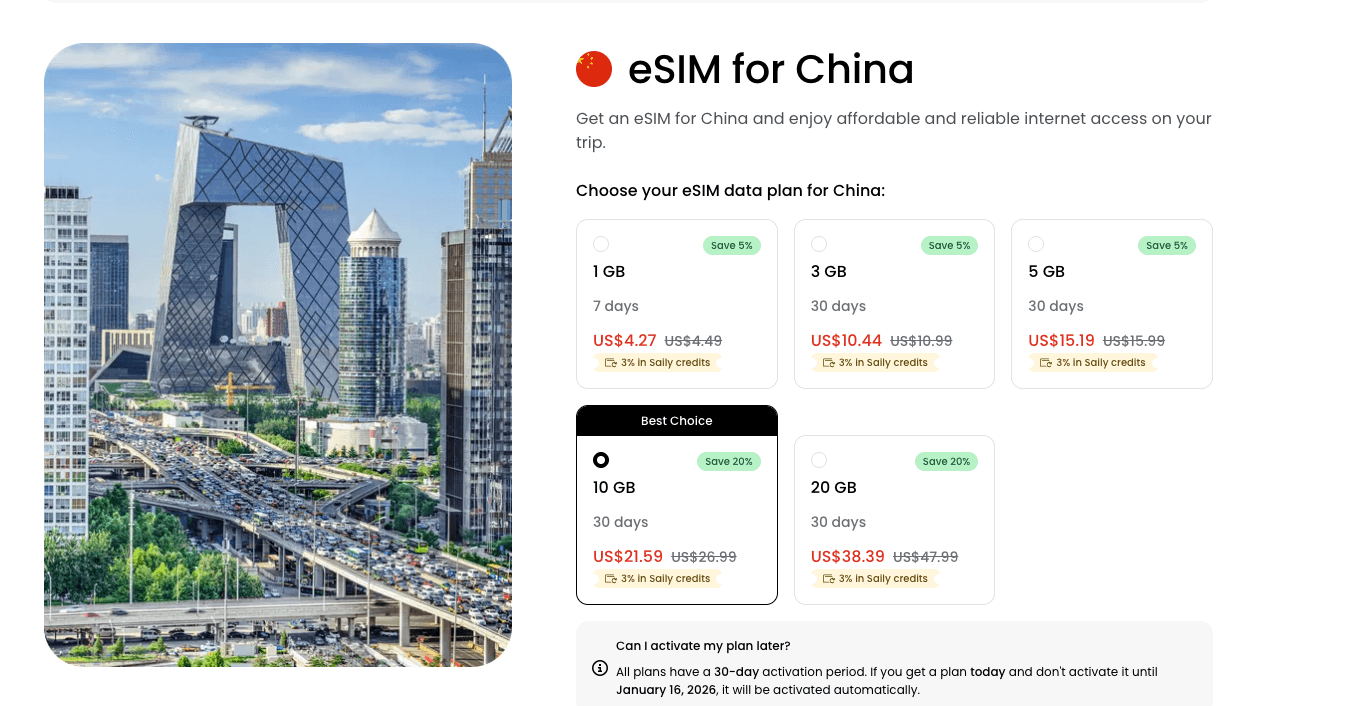
You can find Saily’s China eSIM options here, where you’ll start by choosing the plan that fits your trip. Select the duration of your stay and the amount of data you need. Most travelers find that 0.2 GB to 1 GB per day is enough for everyday use like maps, messaging, and browsing. If you’re unsure which option to pick, the FAQ offers helpful guidance on estimating your data needs.
Purchase the plan

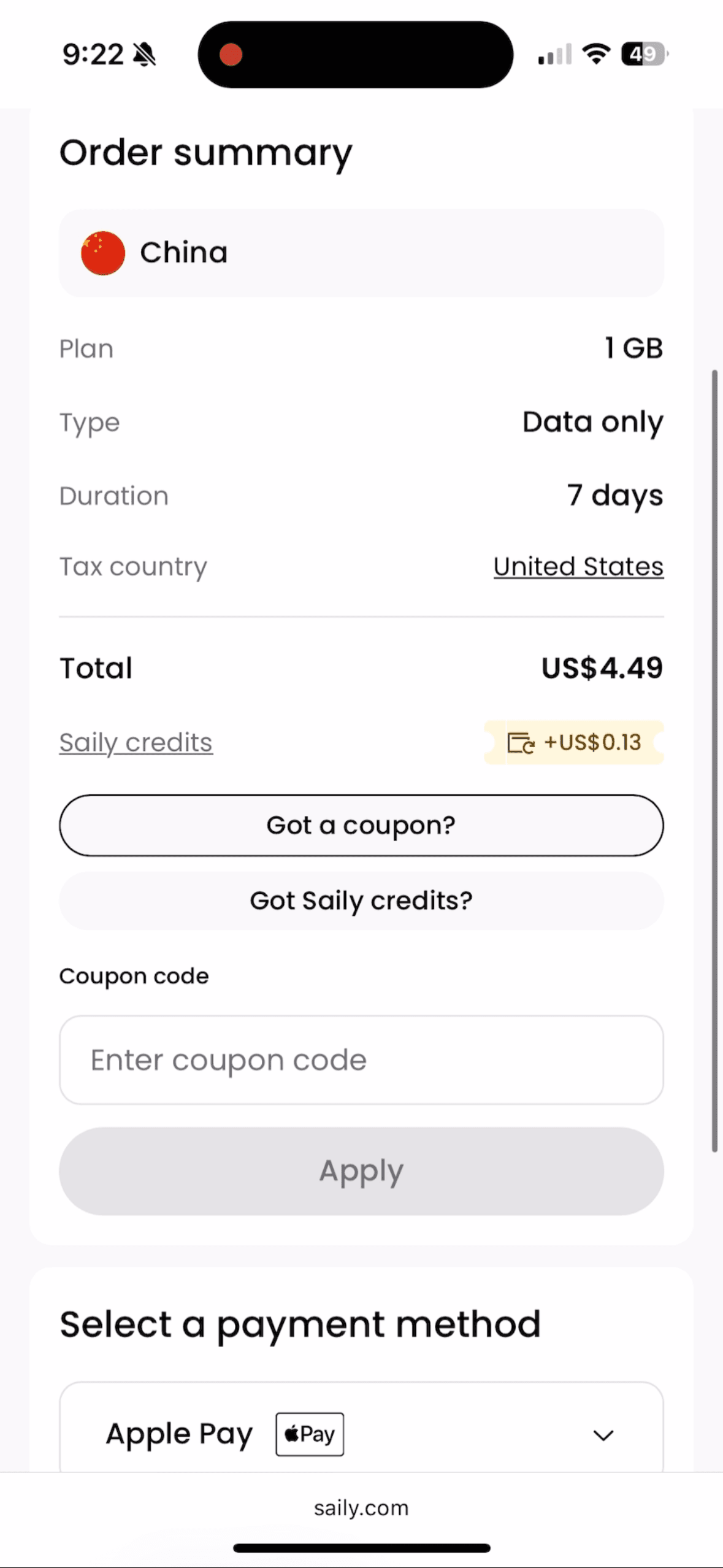
Once you’ve made your selection, go to check out now to complete your purchase. You can enter the coupon code ERICXIAO10 at checkout to receive a 10% discount if it doesn’t apply automatically.
Tip: Don’t forget to enjoy your 10% off by using coupon code ERICXIAO10.
Download Saily App
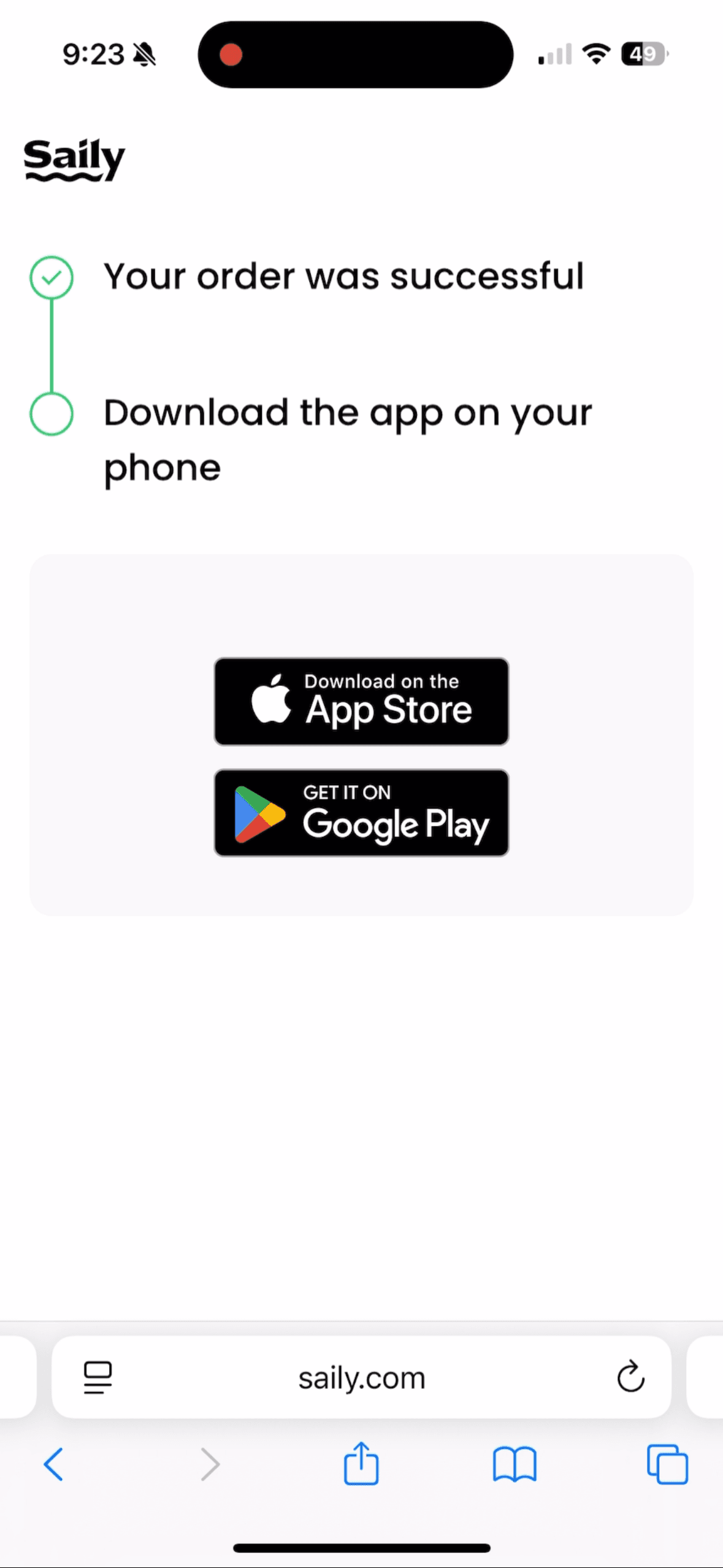
Once your purchase is complete, you’ll be prompted to download the app. You’ll need the Saily app to activate your eSIM, so be sure to install it ahead of time.
Tip: Please download it before arriving China.
Install eSIM through Saily app
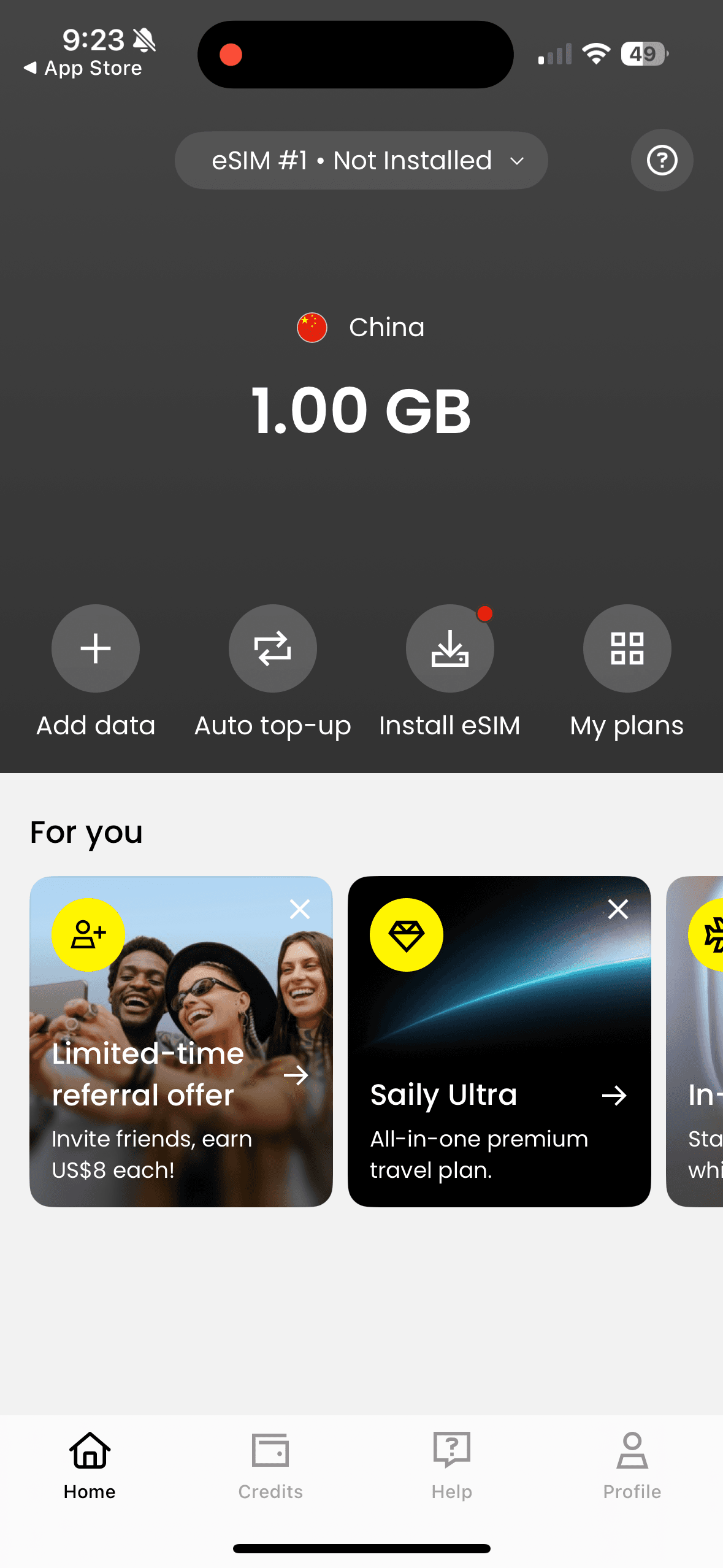
When you open the app, you’ll see your active plan along with a link to install your eSIM. Tapping Install eSIM will automatically start the setup process. Before you begin, it’s strongly recommended to confirm the following: (1) your device supports eSIM (most newer smartphones do), and (2) you’re connected to a strong, stable Wi-Fi network, this is especially important to avoid installation issues. Once everything is ready, simply tap the installation link and follow the in-app instructions to finish setting up your eSIM.
Tip: Please make sure to install your eSIM before arriving in China.
Activate eSIM in your phone setting
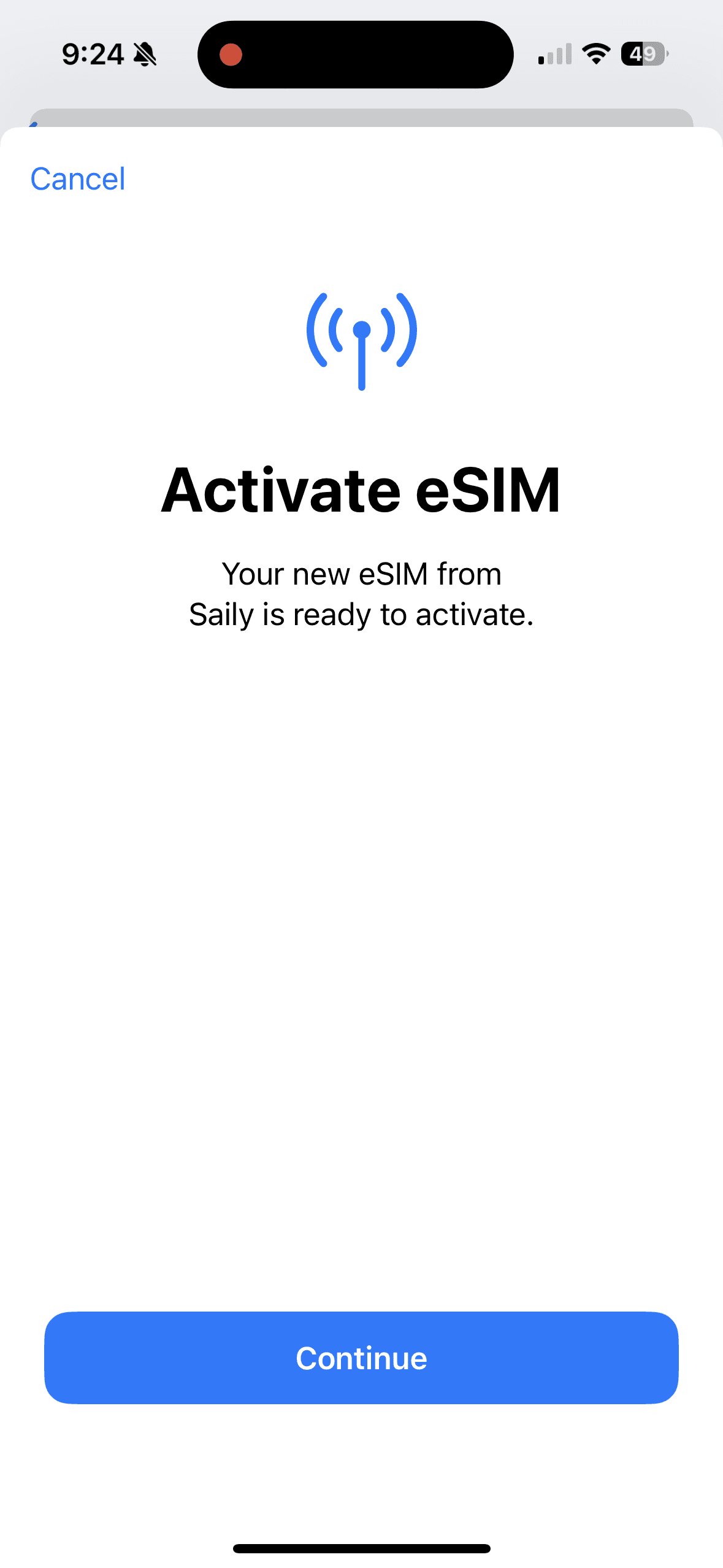
Once the eSIM is installed, the app will automatically guide you through the activation process. Simply follow the on-screen instructions: give the eSIM a name, make sure the Saily eSIM line is turned on, set your cellular data to use the Saily eSIM, and disable “Allow Cellular Data Switching.” That’s it, you’re all set! When you arrive in China, your eSIM will automatically connect to the local network. (And if you prefer not to activate it right away, no problem at all. You can always activate it later from your phone’s cellular settings.)
Tip: Activate your eSIM shortly before traveling to China. Based on our experience, we recommend activating it at the airport before departure.
Once you arrive in China, your eSIM will automatically connect to the local network, as shown below. Enjoy seamless data connectivity throughout your trip and have an amazing time in China!
